# Assigning a Group to a Role in Keycloak
### Introduction ###
Now that you have your [role created](https://wiki.fireantllcaz.net/books/creating-a-group-in-nextcloud-from-keycloak/page/creating-a-keycloak-client-role), you can now assign it to a group. This makes it so adding people to this role along with making modifications is easy and applies to everyone in the group.
### Assigning a Role to a Group ###
If you haven't already, you should create a group to assign the role to.
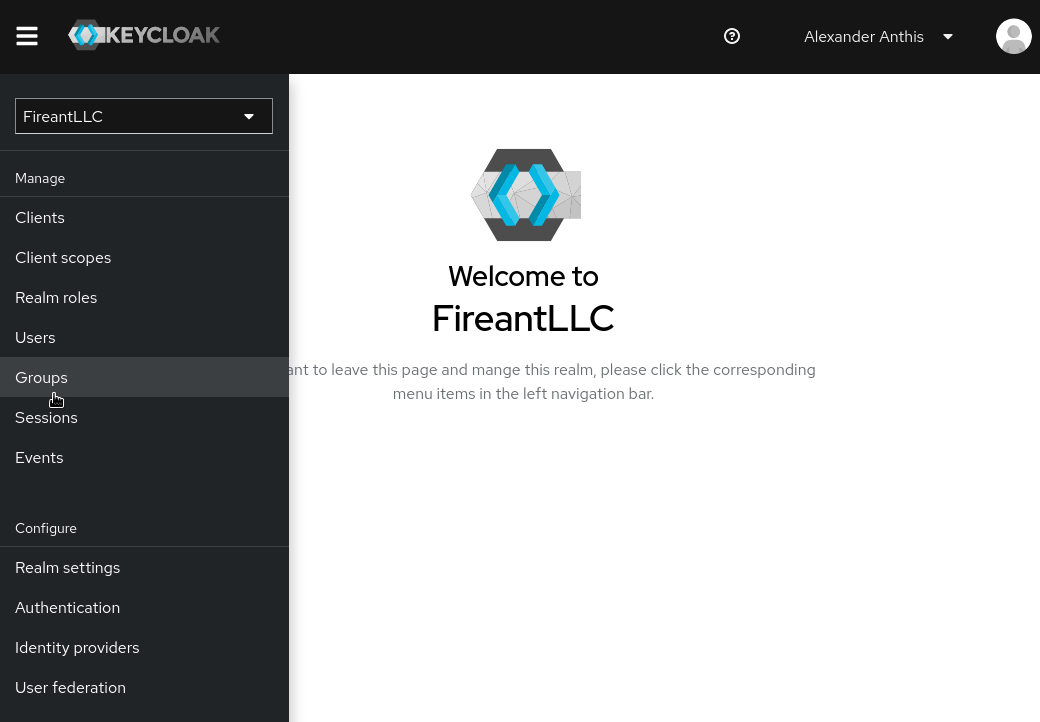
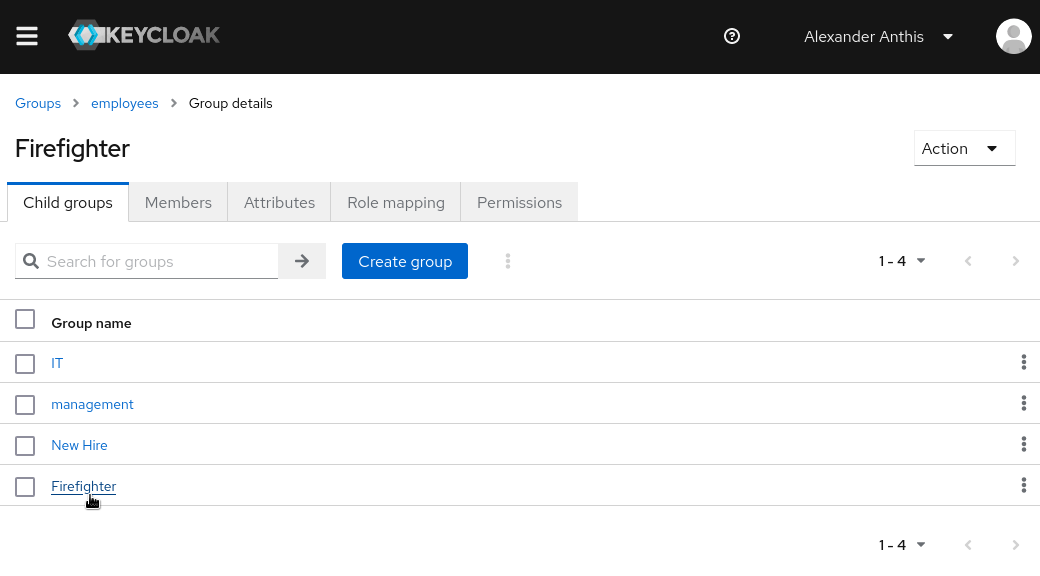
First, nagivate to your group.
[](https://wiki.fireantllcaz.net/uploads/images/gallery/2022-09/image-1662334385202.png)
[](https://wiki.fireantllcaz.net/uploads/images/gallery/2022-09/image-1662334459824.png)
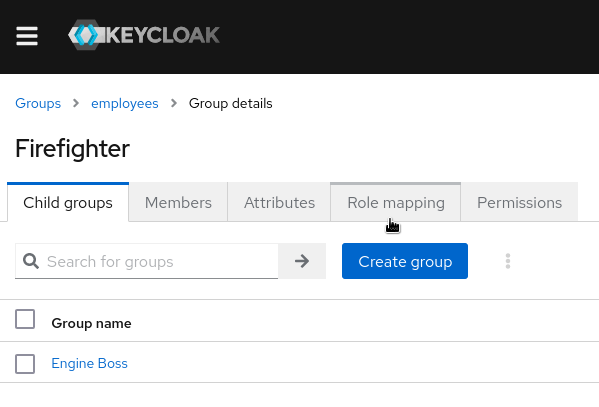
Then click on the `Role mapping` tab.
[](https://wiki.fireantllcaz.net/uploads/images/gallery/2022-09/image-1662334505221.png)
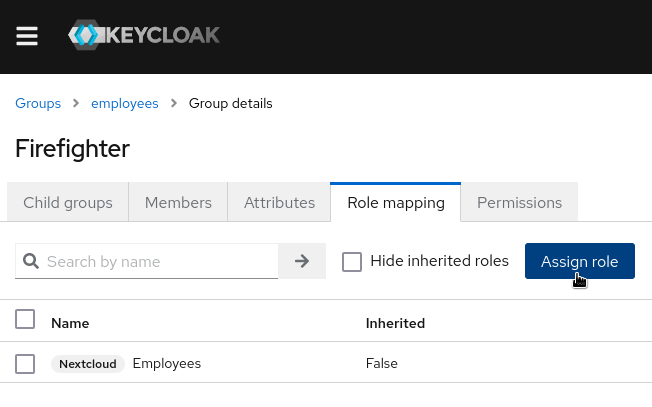
Click on `Assign role`.
[](https://wiki.fireantllcaz.net/uploads/images/gallery/2022-09/image-1662334532266.png)
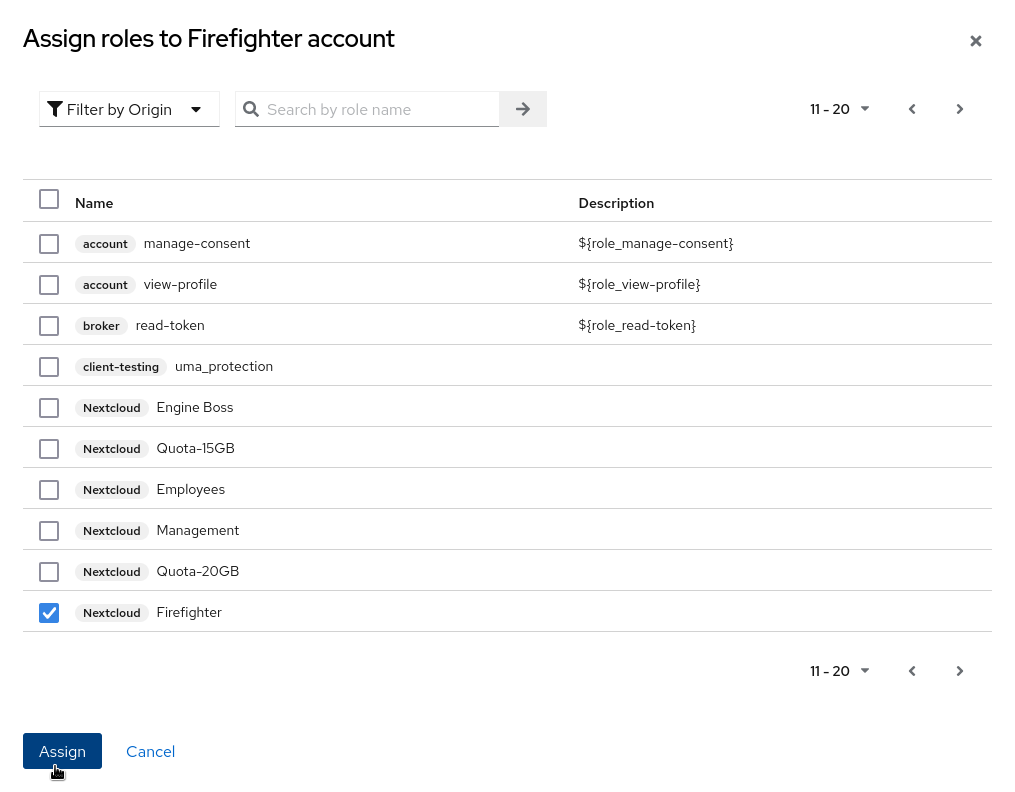
Check the role(s) you want to the group, then click `Assign`.
[](https://wiki.fireantllcaz.net/uploads/images/gallery/2022-09/image-1662334600780.png)
And that's it!
### Testing Our Work ###
In order to make sure that our changes worked, we can add a user to our group. For this test, I will use the `fireant_test_user_1` user.
First of all, I'll assign the user to only the `Firefighter` group.
[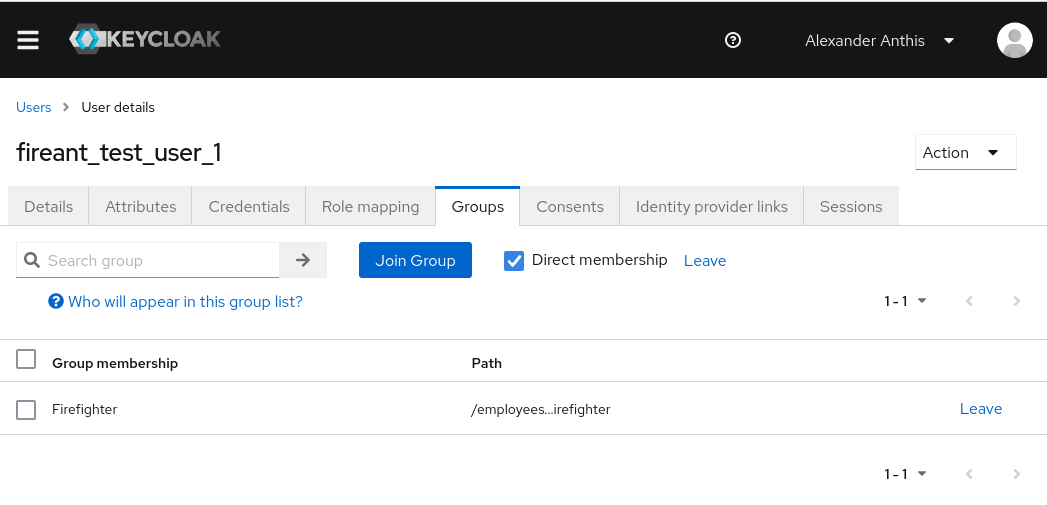](https://wiki.fireantllcaz.net/uploads/images/gallery/2022-09/image-1662334801707.png)
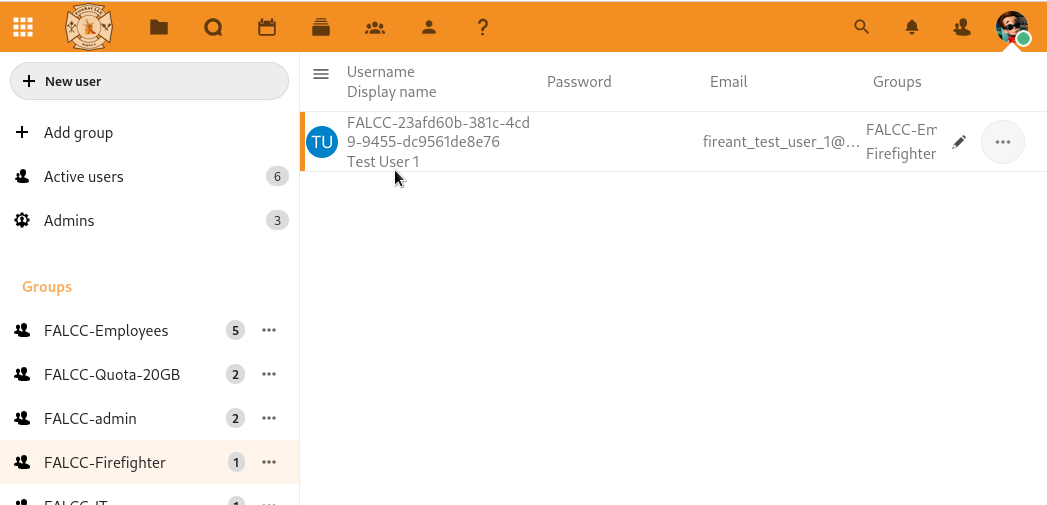
Then I'll re-login into the user on Nextcloud. I'll also refresh my Users page on Nextcloud, since I have that open.
In the Users page on Nextcloud, I can see that the Firefighter group is there and that the test user is the only user in it. That means I know it was successful.
[](https://wiki.fireantllcaz.net/uploads/images/gallery/2022-09/image-1662334998085.png)