Connecting via SSH
Connecting via SSH in a Terminal
In a terminal, you only need to type in this command...
ssh <your_username>@fireantllcaz.net
Connecting via SSH in a File Explorer
In order to browse server files in a local file browser, you'll first need a program that supports the SCP protocol. For this guide, I'll be using WinSCP.
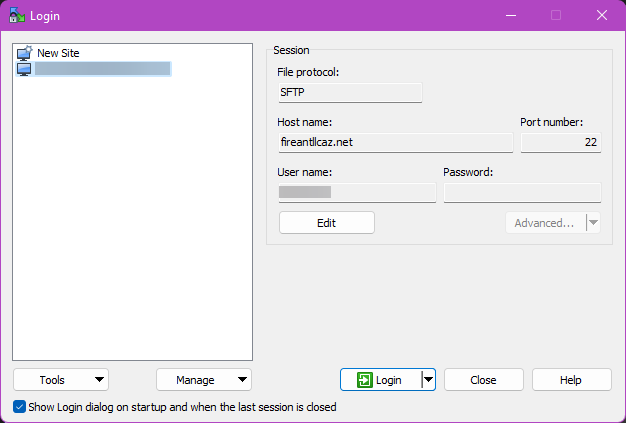
If you launch WinSCP for the first time, you'll be presented with login options. Here are what you should set the options...
- File Protocol:
SFTP - Host name:
fireantllcaz.net - Port number:
22 - User name:
<your_username> - Password:
<your_password>
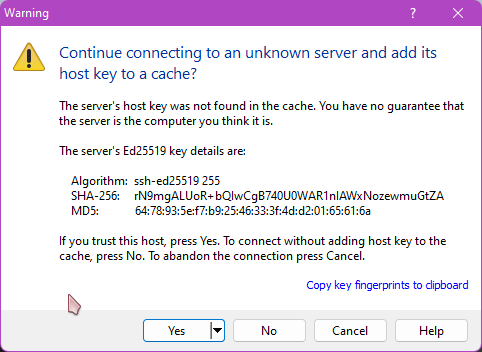
Upon your first time connecting, you'll get a warning that you're connecting to an unknown server and be asked whether or not to save the host's key to cache. Click Yes.
And there you go! You're in!